
SCADERIS Scheduler
Time scheduling server
for SCADA systems
and Centralized Technical Management
Scaderis Scheduler
Reduce your energy expenses and ecological footprint by controlling all your utilities precisely when your users need them.
This independent software, compatible with your supervisory systems and automation, allows you to standardize and make all time schedules flexible and centralized.
Technical Sheet Documentation Trial Version
Overview
SCADERIS Scheduler is a time scheduling software that allows you to control equipment according to predefined programs.
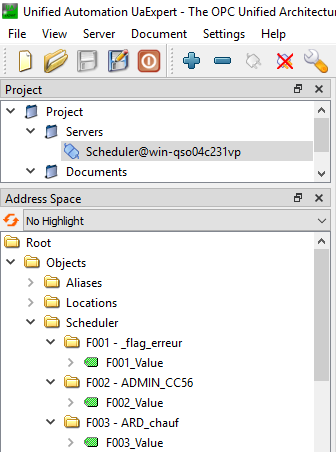
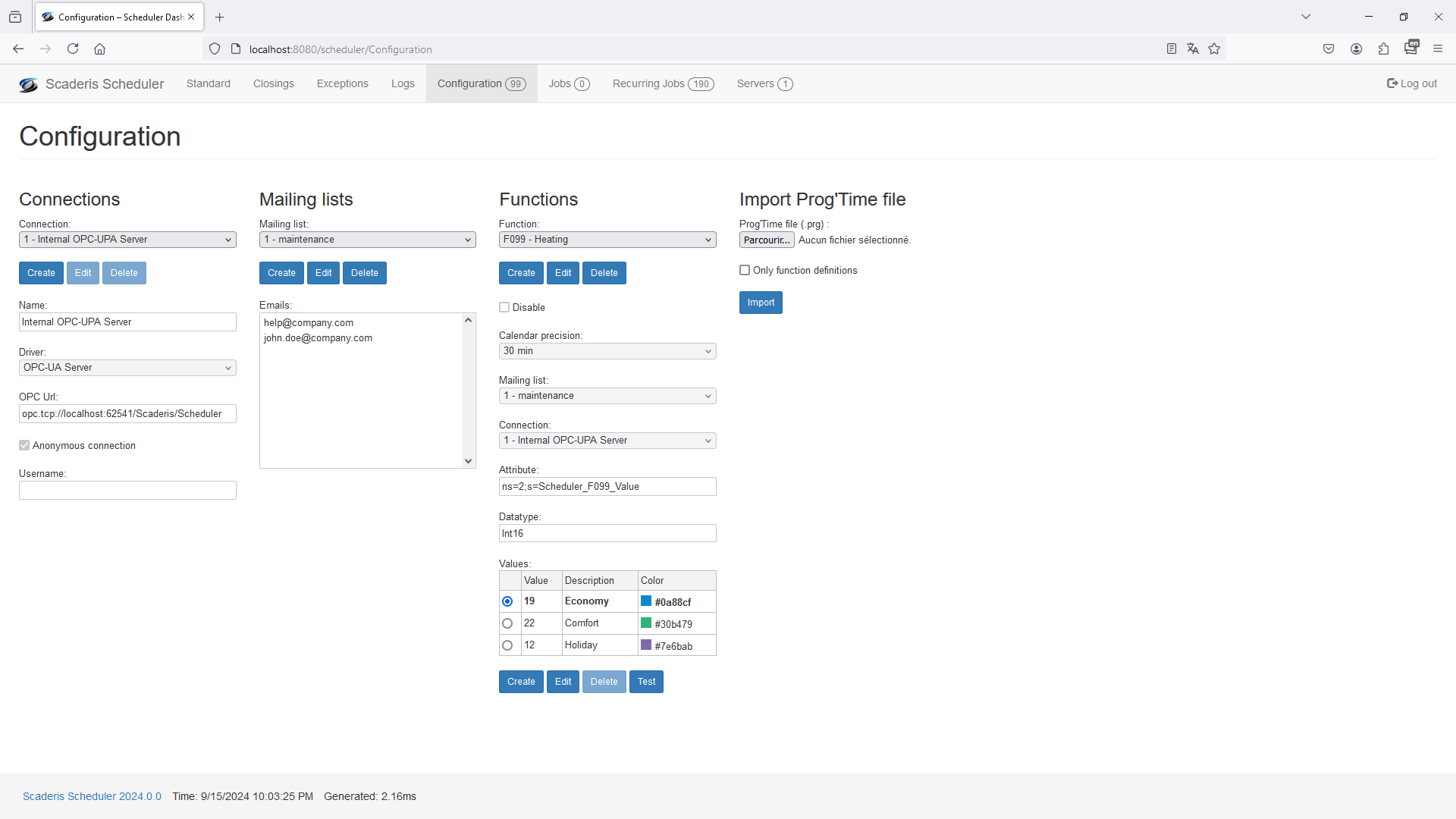
The software can interface with a supervisory system or directly with equipment. It can connect via OPC-UA or OPC-DA, or provide an internal OPC-UA server.
All configuration is done from a modern and intuitive 100% web interface. Data is stored in a Microsoft SQL Server database.
Added Value
Save energy, reduce costs, and improve your environmental footprint by reducing CO2 emissions.
Advantages
Start and stop equipment and utilities at the right time
Centralize all time schedules
Standardize the graphical interface for time schedules
Configure time schedules via an ergonomic and modern 100% web multilingual interface
Be notified in case of an incident during the execution of a time schedule
Use software that interfaces perfectly with all supervisory systems
Implement off-the-shelf software that is easy to deploy

Scheduled Functions
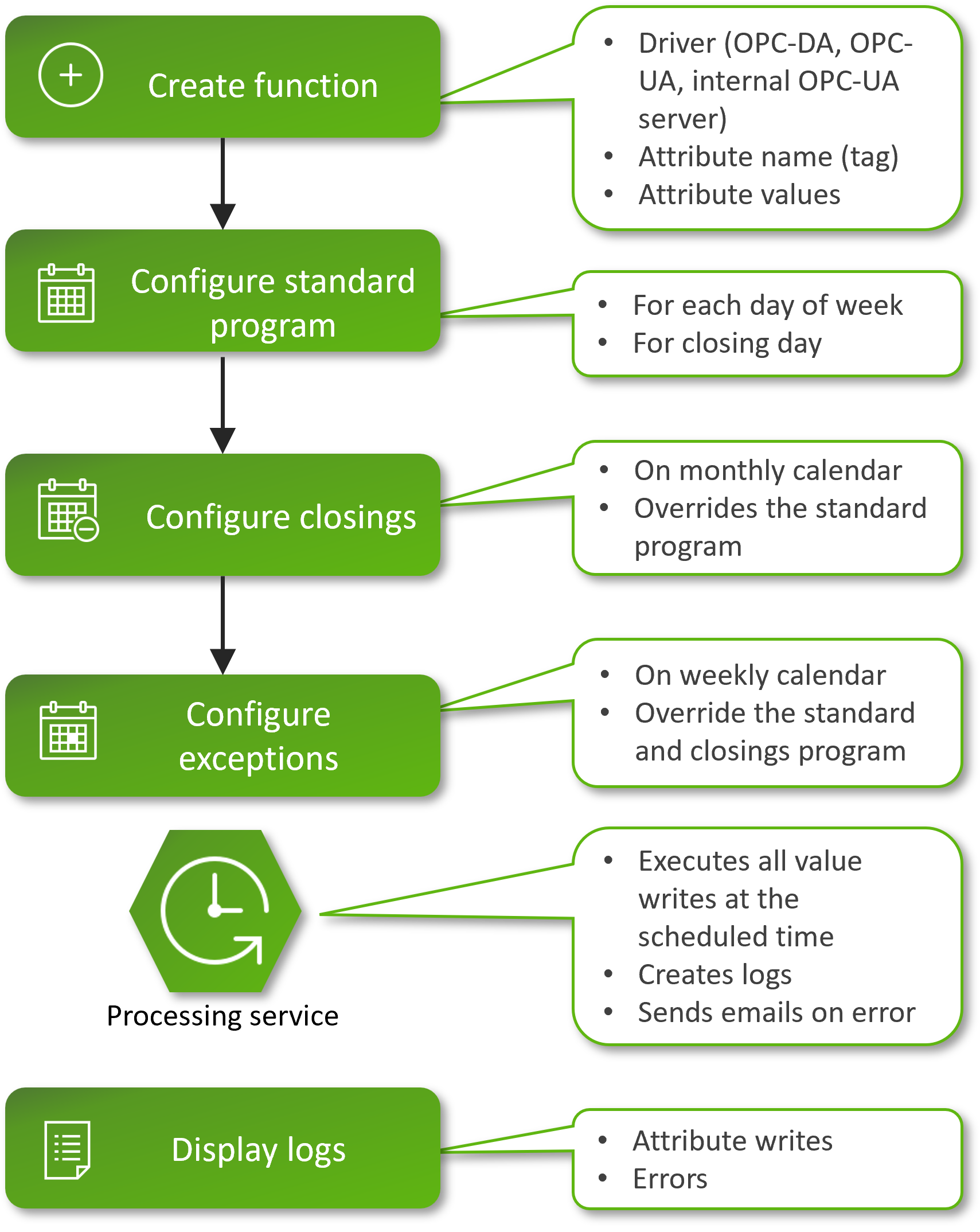
SCADERIS Scheduler allows you to create an unlimited number of scheduled functions. A function is defined by a number and a name (heating, air conditioning, lighting, etc.).
A function has a type (boolean, integer, real, etc.) and several states (On/Off, Comfort/Frost Protection/Economy, etc.) with their associated value. One of the states is considered the default state.
The precision of each function's time schedule is configurable between 5 and 60 minutes.
A function can be temporarily disabled.
SCADERIS Scheduler allows you to configure email distribution lists. A distribution list can be configured for each function.
Standard Program
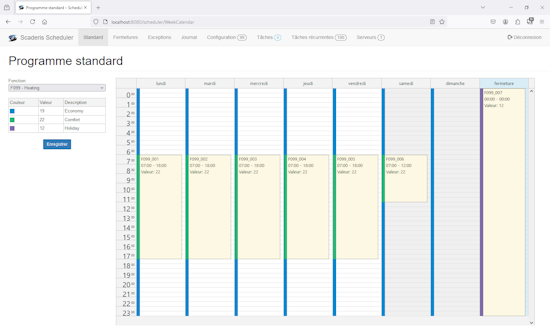
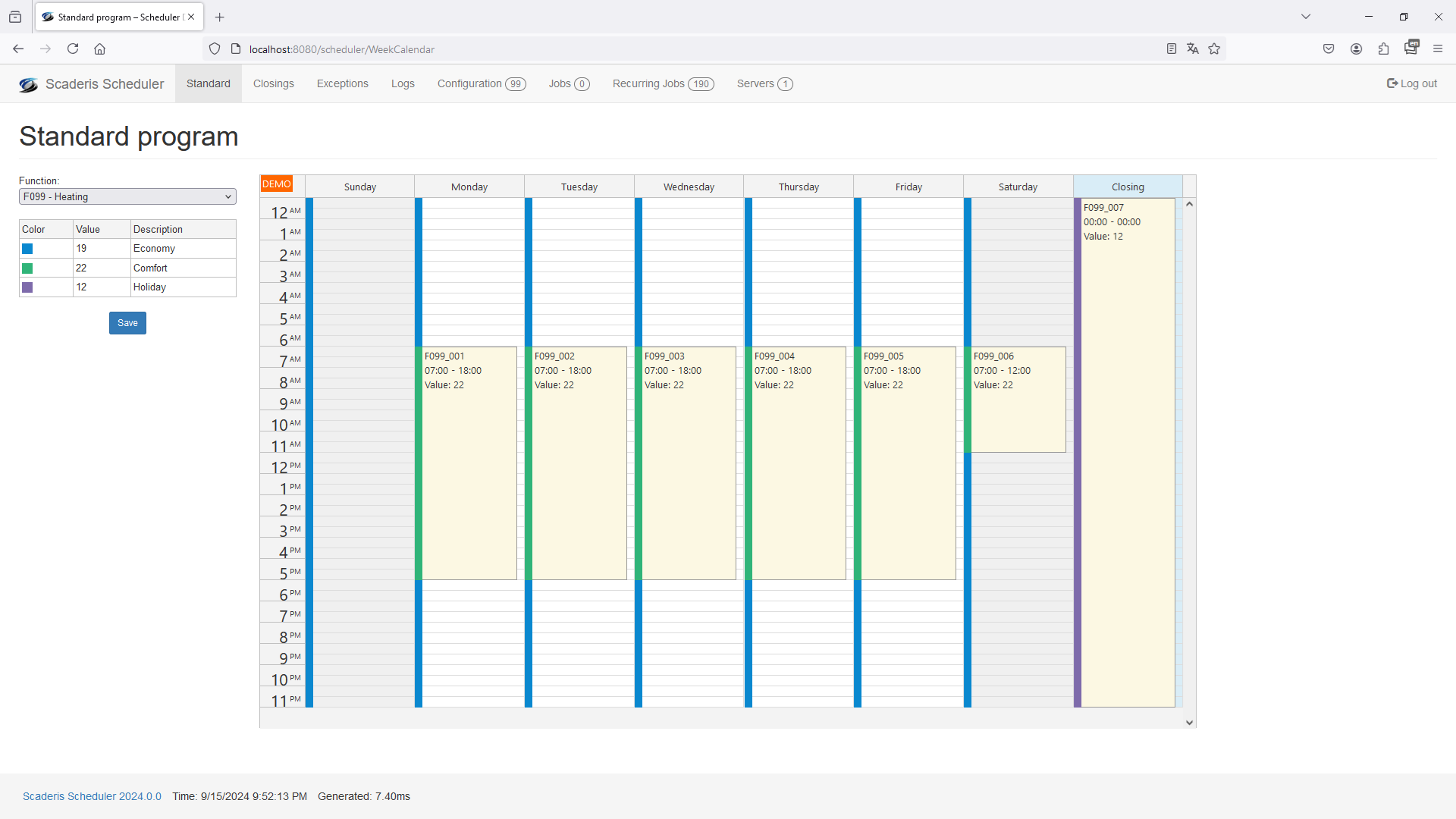
The standard program allows you to define the usual schedule of a function for a typical week from Monday to Sunday, and for the typical closing day.
Initially, every standard calendar is set to the function's default state. To set another state, simply select a time slot in the calendar and choose the associated state.
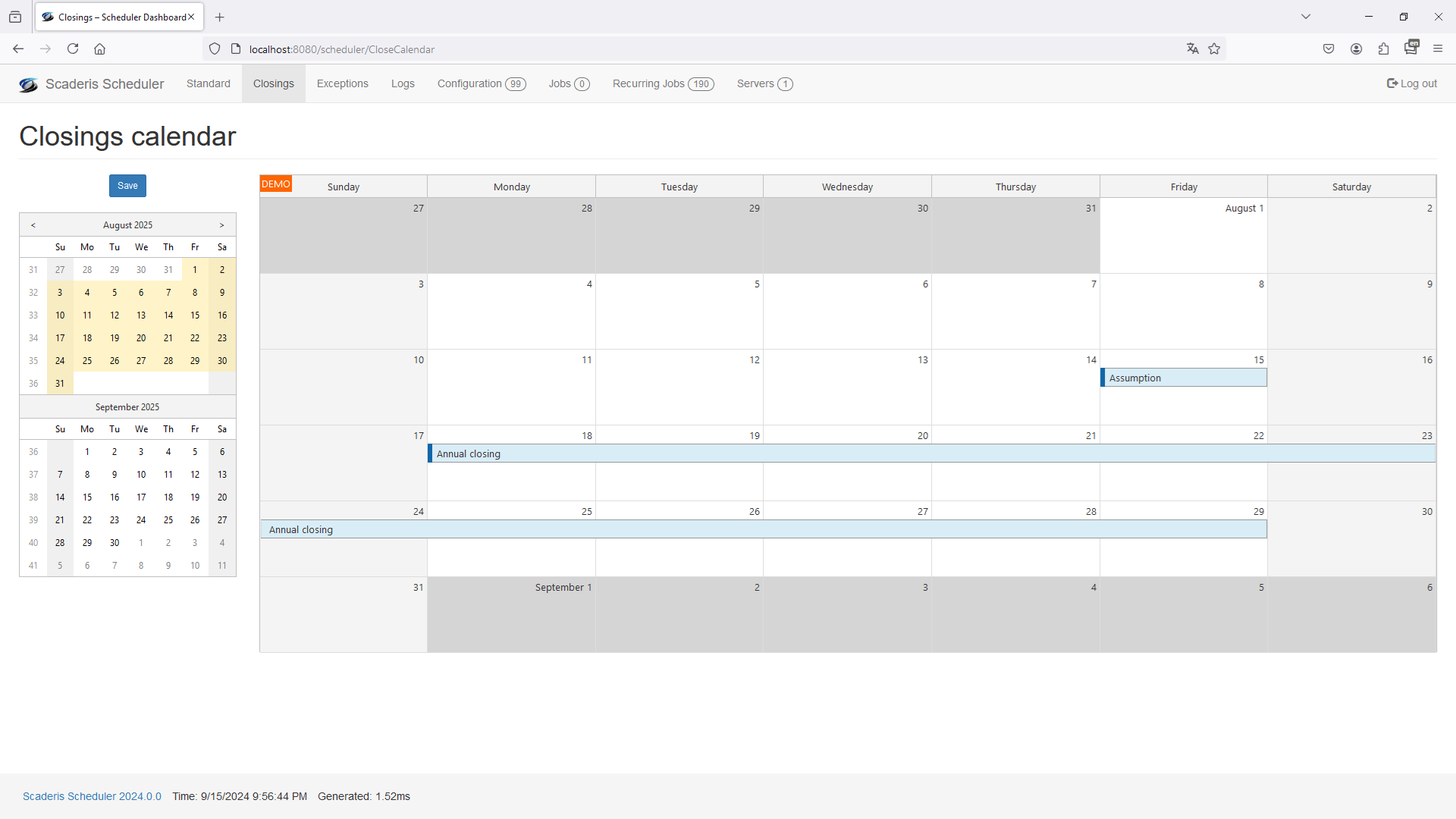
Closing Calendar
The closing calendar allows you to configure closing dates (holidays, annual closures, etc.) in an infinite calendar. A description is associated with each closing.
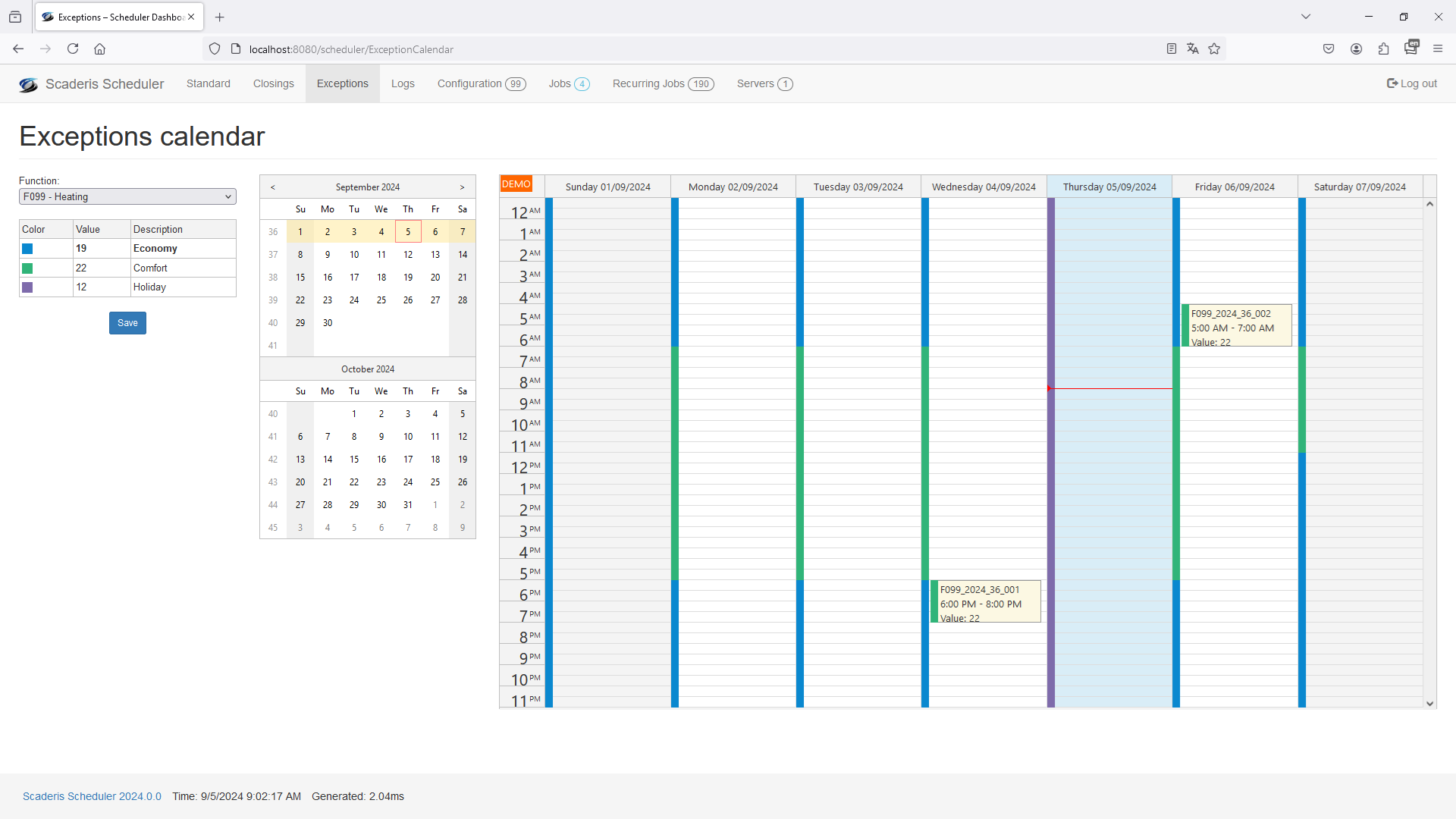
Exception Calendar
The exception calendar displays a function's schedule by combining the standard program and the closing calendar. For closing days, the typical closing day program configured in the standard calendar is applied.
It is then possible to set exceptions to this standard program by selecting a time slot and the associated state.
Import Micromedia Prog'time
SCADERIS Scheduler allows you to import a Micromedia Prog'time configuration file with one click for easy and quick migration.
Connectivity
SCADERIS Scheduler can interface with supervisory systems or directly with automation or equipment. For this, the software has 3 interfaces: an OPC-UA client, an OPC-DA client, and an internal OPC-UA server.
The client interfaces allow writing to a supervisory system, communication driver, automation, or OPC server. The internal OPC-UA server provides the status of each function in real time to all other systems and software.
Connectivity is configured individually for each function. Third-party systems such as automation or supervisory systems can execute complex scenarios when the state of a function changes.
Log and Incidents
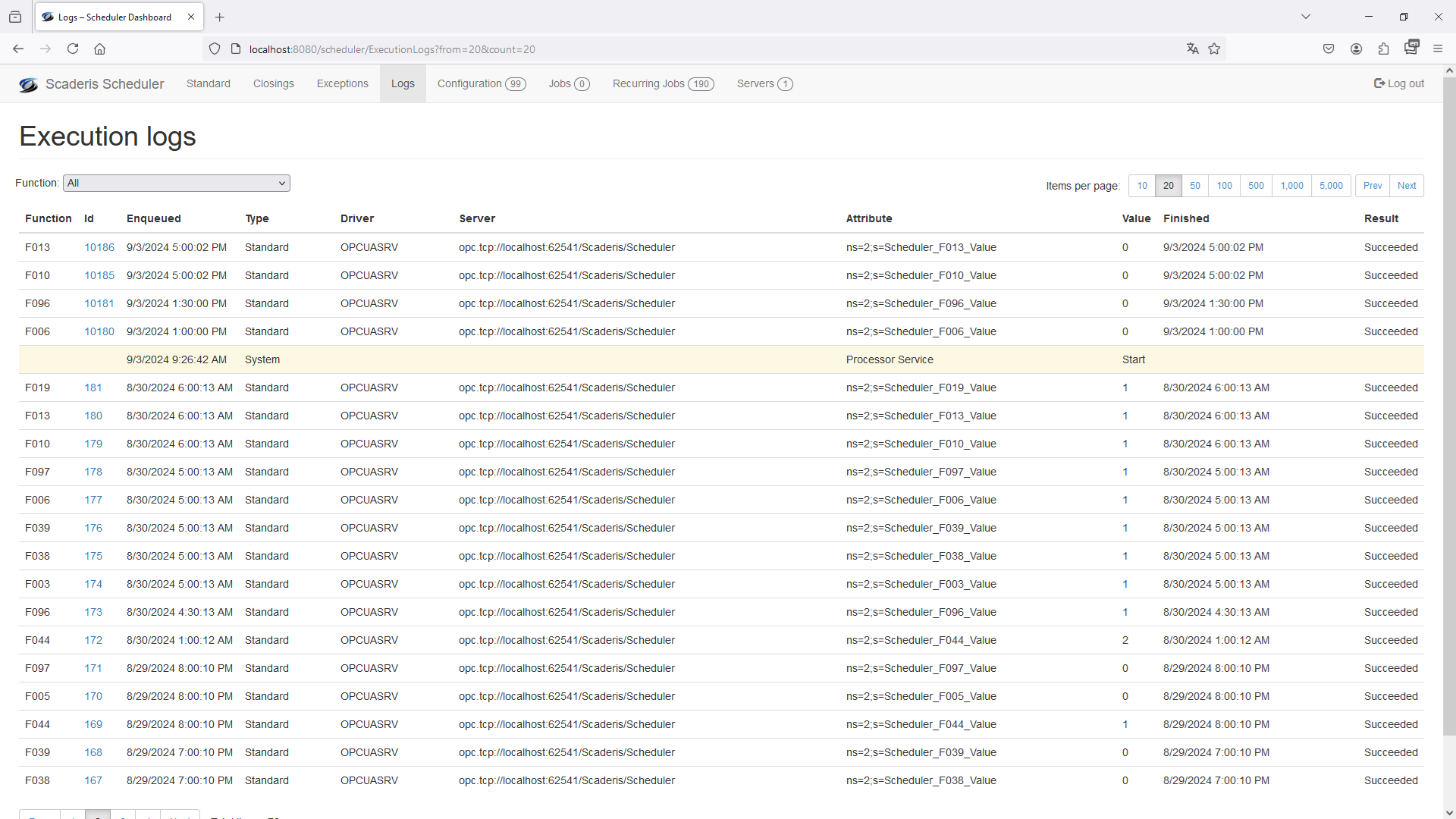
All function state changes are logged in a detailed journal. A page allows you to view and filter the log.
The log also contains events for service startup and shutdown, function activations/deactivations, and errors during state change writes to interfaces with other systems.
When a writing incident occurs during a state change, an email is automatically sent to the distribution list configured in the function.

Scaderis Software is a publisher of industrial IT software.
Contact
26000 Valence, France
Phone: +33 4 81 16 01 18
Email:

2015 © All rights reserved. Legal Notice